
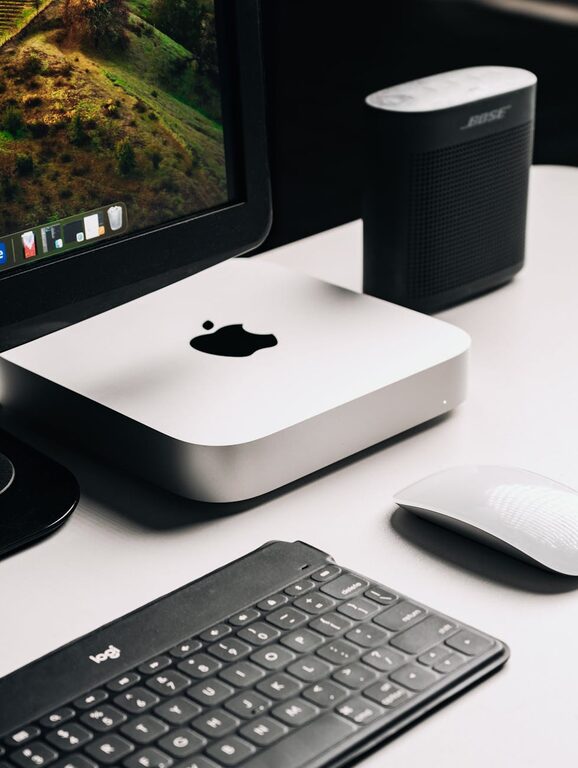
In today’s connected world, our digital lives can quickly become overwhelming. From overflowing inboxes to countless files scattered across devices, digital clutter can impact productivity and peace of mind. The good news is, decluttering your digital life is achievable with a bit of focused effort. This guide will help you streamline your digital environment for better organization and less stress.
Why Declutter Your Digital Life?
Just like a cluttered physical space can overwhelm you, a chaotic digital environment can lead to decreased focus and increased anxiety. Removing unnecessary files, organizing your data, and managing digital distractions helps you:
– Find information quickly
– Improve device performance
– Reduce stress and distractions
– Create more time for meaningful activities
Step 1: Clear Out Your Email Inbox
Email is often the biggest source of digital clutter. A cluttered inbox makes it difficult to prioritize important messages and wastes your time.
Tips to Manage Email Overload
– Unsubscribe from Unwanted Lists: Use tools like Unroll.me or manually unsubscribe to reduce unwanted emails.
– Create Folders or Labels: Organize emails by topic, sender, or project for easy reference.
– Use Filters and Rules: Automatically sort incoming emails to specific folders to keep your main inbox tidy.
– Set a Regular Schedule: Dedicate times during the day to process emails instead of checking constantly.
– Archive or Delete Often: Keep only essential messages and move older ones to archive or trash.
Step 2: Organize Your Files and Folders
Scattered files on your desktop, downloads folder, or cloud storage can cause clutter and slow you down.
Steps for File Organization
– Delete Unnecessary Files: Remove duplicates, outdated documents, and files you no longer need.
– Create a Logical Folder Structure: Group related files by project, date, or type (e.g., Work > Reports 2024).
– Use Clear Naming Conventions: Describe file contents and include dates for easy identification.
– Regularly Back Up Important Data: Use cloud services or external drives to protect your files.
– Consider Archiving Old Files: Move less-used files to a separate folder or external storage to keep your active space clean.
Step 3: Trim Down Your Apps and Software
Too many apps and programs can clutter your device, slow performance, and complicate your digital experience.
How to Manage Apps and Software
– Delete Unused Applications: Remove apps you rarely or never use from your smartphone, tablet, and computer.
– Limit Browser Extensions: Keep only those that add real value to your browsing experience.
– Update Regularly: Ensure your apps and software are up to date for security and performance improvements.
– Review Subscriptions: Cancel services you don’t need to save money and reduce notifications.
Step 4: Manage Your Digital Contacts and Social Media
Keeping your contacts list and social networks organized can help improve communication and reduce clutter.
Tips for Contact and Social Media Management
– Clean Up Contacts: Remove duplicates and outdated entries from your phone and email accounts.
– Organize Contacts into Groups: Use categories like Family, Work, and Friends for easier messaging.
– Unfollow or Mute Accounts: Streamline your social feeds by following only accounts you find valuable.
– Review Privacy Settings: Adjust settings to control what you share and reduce unwanted notifications.
Step 5: Maintain a Healthy Digital Routine
Once you’ve decluttered, keeping your digital life in order requires regular habits.
Healthy Digital Habits
– Set Weekly or Monthly Cleanup Times: Schedule brief sessions to organize emails, files, and apps.
– Use Productivity Tools: Apps like Todoist, Evernote, or Google Keep can help you stay organized.
– Limit Digital Distractions: Turn off non-essential notifications and create focused work sessions.
– Practice Mindful Usage: Be intentional about how and when you use your devices.
Conclusion: Enjoy a More Organized Digital Life
Decluttering your digital life might seem daunting at first, but breaking it down into manageable steps makes the process easier. By clearing inboxes, organizing files, managing apps, and establishing good habits, you’ll create a digital environment that feels clean, efficient, and stress-free. Regular maintenance ensures your digital space remains under control, making room for what matters most.
Try implementing these strategies today and enjoy the benefits of a clearer, more productive digital life!